Setup Network
This page describes how to create a Virtual Router (VR) and a private network with a subnet, and connect them to enable internet access for your VMs.
Prerequisites
- Application Credentials (
cloud.yaml) configured for CLI access (see Tools). - For VM deployment after networking, see Launch Instance.
Create a Router (VR)
A Virtual Router connects your private network to the public internet. It provides NAT and routing.
Horizon
- Navigate to Network > Network Topology.
- Click Create Router in the top right.
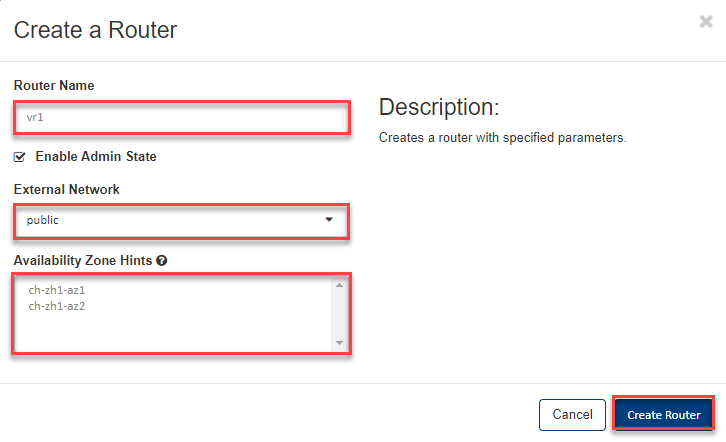
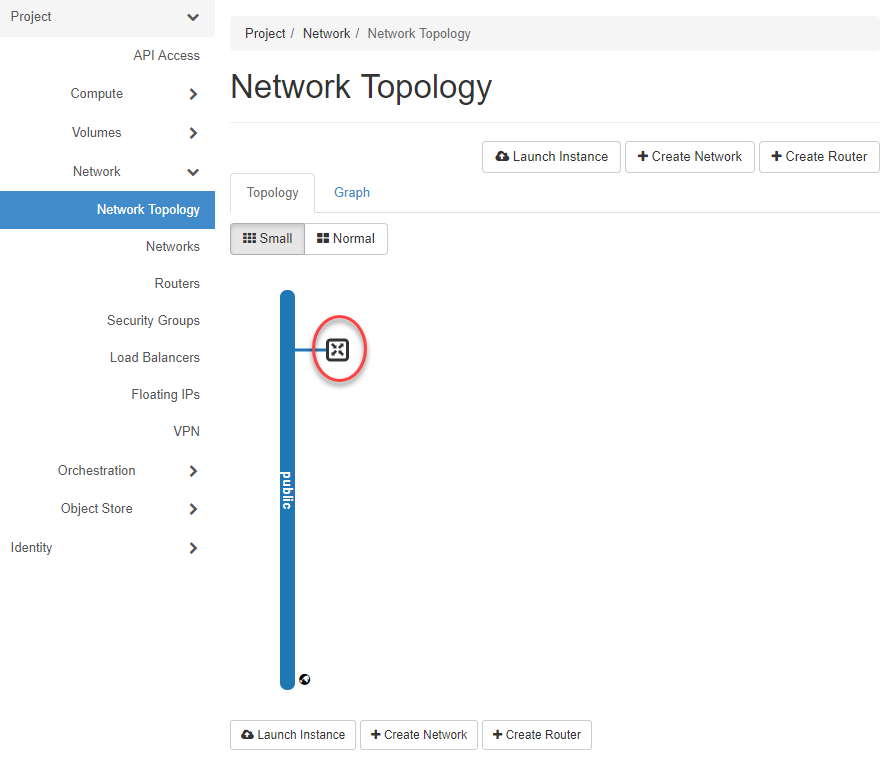
- Enter a Router Name, select the external network public, leave the Availability Zone as no selection, and click OK.
Tip
By default, Virtual Routers are deployed as highly available (Master and Slave). If you select no Availability Zone, the Master is deployed in AZ1 and the Slave in AZ2. You can also select a specific AZ where both will be deployed.
CLI
openstack router create my-router \
    --external-gateway public
Create a Private Network
Horizon
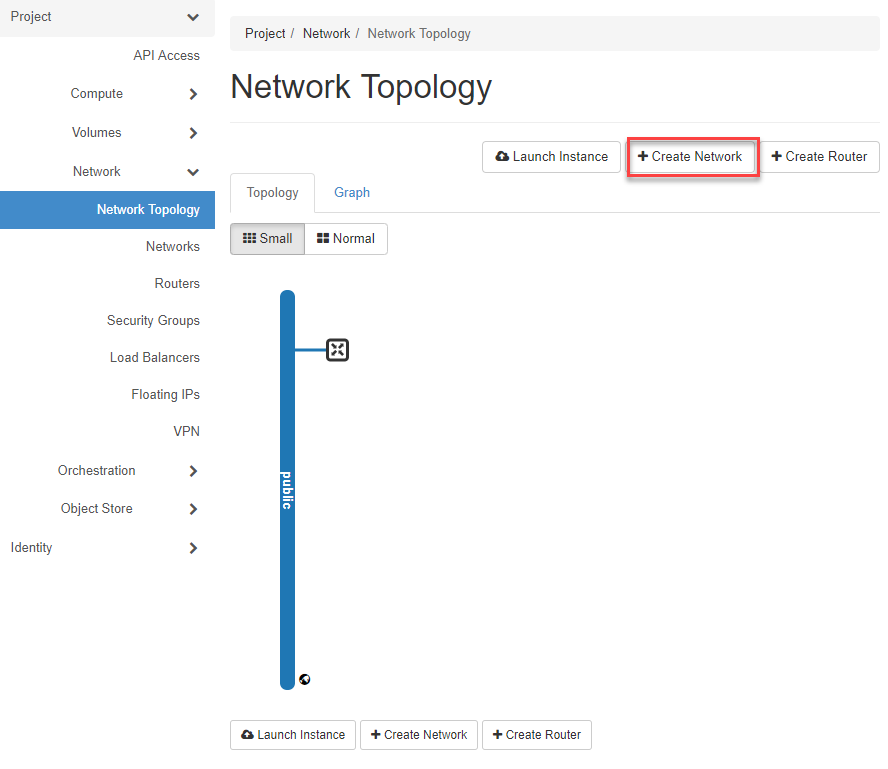
- Navigate to Network > Network Topology and click +Create Network.
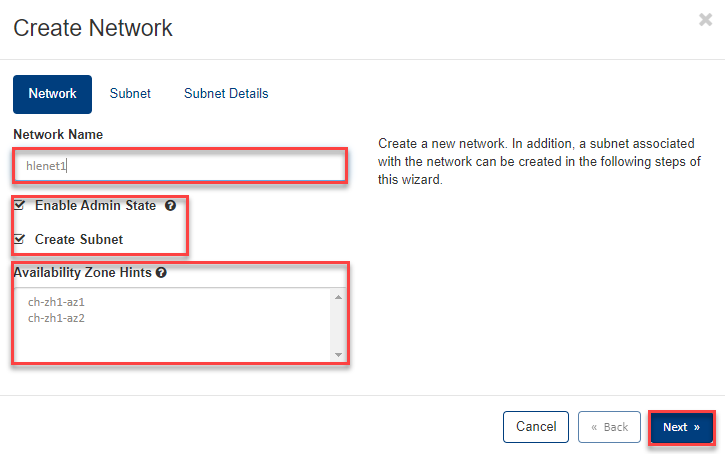
- Enter a Network Name, leave Enable Admin State and Create Subnet checked, select no Availability Zone, and click Next.
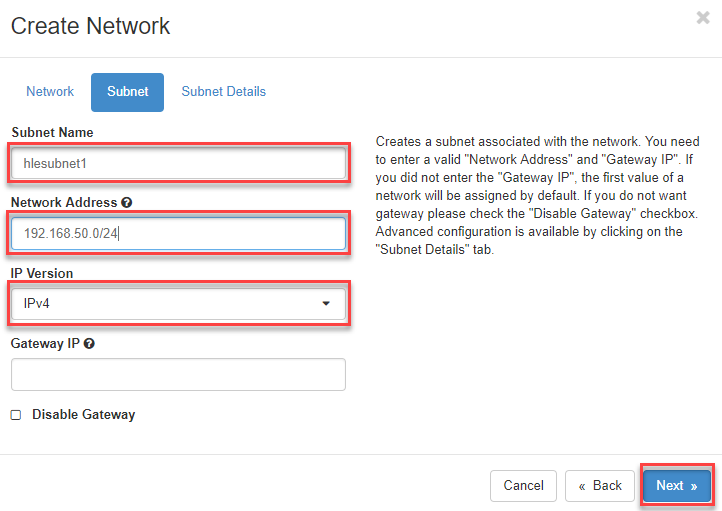
- In the Subnet tab, enter a Subnet Name, a valid private network address, select IP Version (IPv4 in this example), and click Next.
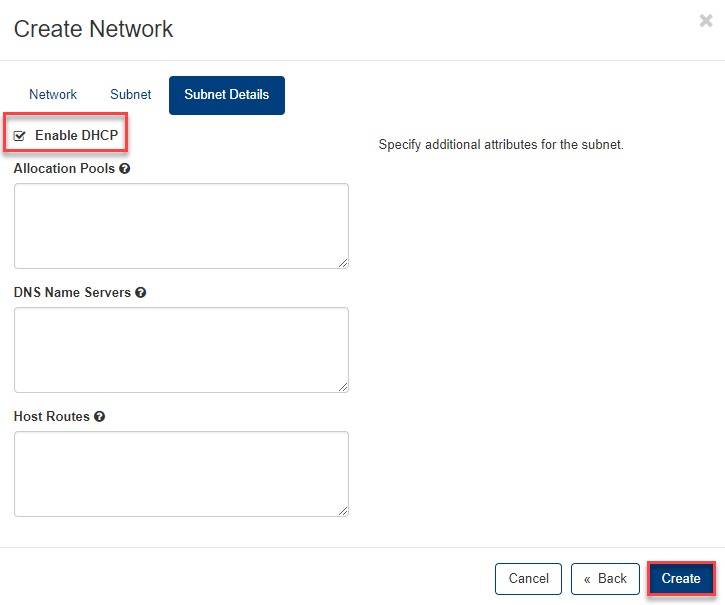
- In the Subnet Details tab:
- Enable DHCP so VMs automatically receive an IP address.
- Optionally configure Allocation Pools, DNS Name Servers, and Host Routes.
- Click Create.
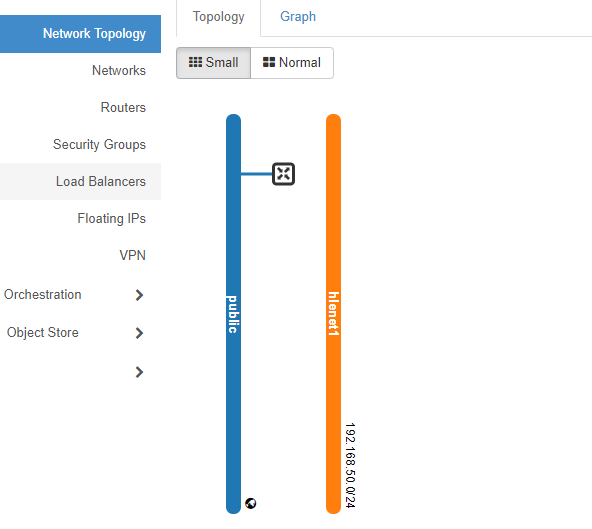
The network is now created and visible in the topology:
CLI
openstack network create my-network

openstack subnet create my-subnet \
    --network my-network \
    --subnet-range 192.168.50.0/24 \
    --dhcp
Connect Router to Network
Horizon
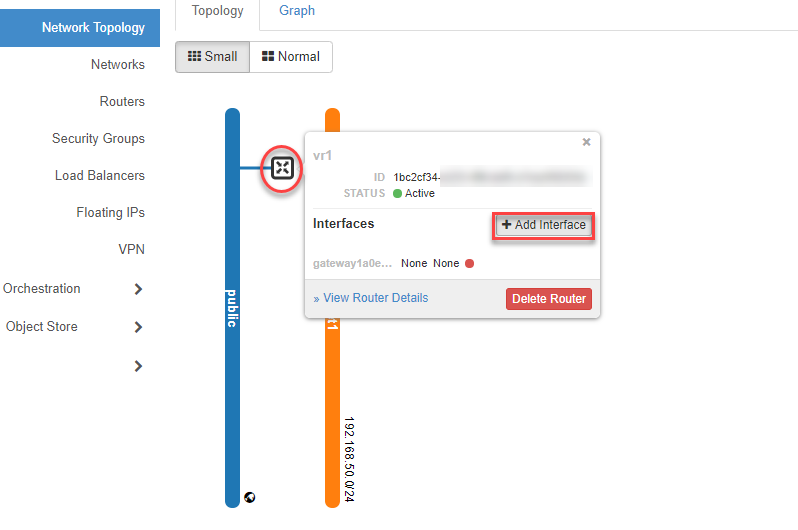
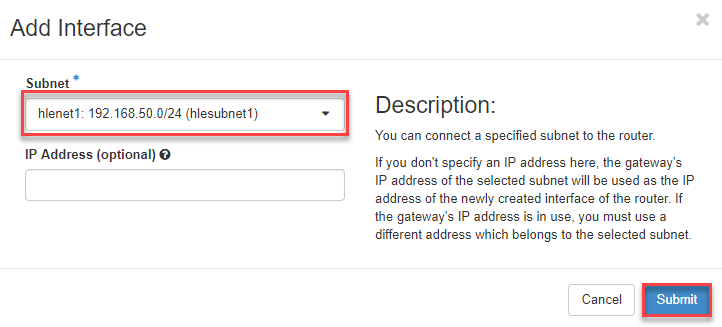
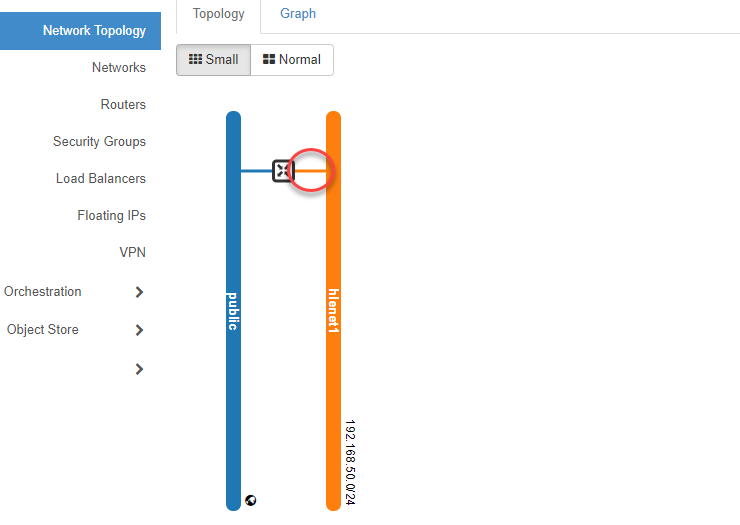
Hover over the Router Symbol in the topology view and click +Add Interface. Select your Subnet and click Submit.
CLI
openstack router add subnet my-router my-subnet
Next Steps
- Create Security Groups to control firewall rules for your VMs.
- Deploy a VM — see Launch Instance.
- For IPv6 or dual-stack networks, see IPv6 — Horizon or IPv6 — CLI.