SSH Key Pairs
An SSH Key Pair is required to access your Linux VM after deployment. OpenStack stores the public key and injects it into the VM during launch. You keep the private key to authenticate via SSH.
Create a Key Pair
There are many ways to generate an "ssh-rsa Key". A simple way is provided by the OpenStack Portal, via the menu item "Compute > Key Pairs". You can also import an existing key through this menu. When deploying a VM, you can then select this key in the "Launch Instance Wizard" and use it to access your Linux VM.
Tip
We recommend importing or creating an "ssh-rsa Key" as early as possible before deploying a VM.
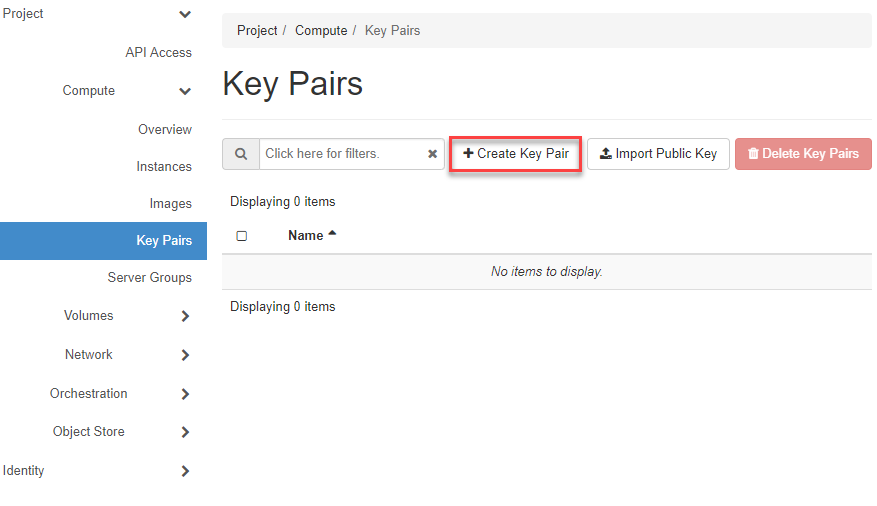
Switch to Compute => Key Pairs in the navigation and click on +Create Key Pair.
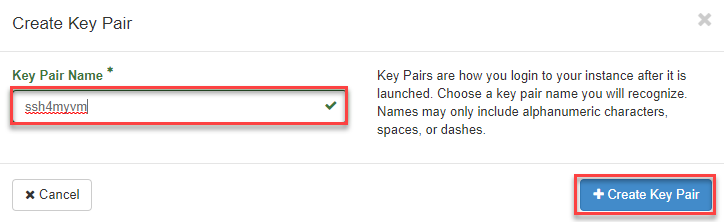
- Now enter a "Name" for the Key Pair.
- Then click on +Create Key Pair role="guilabel"}.
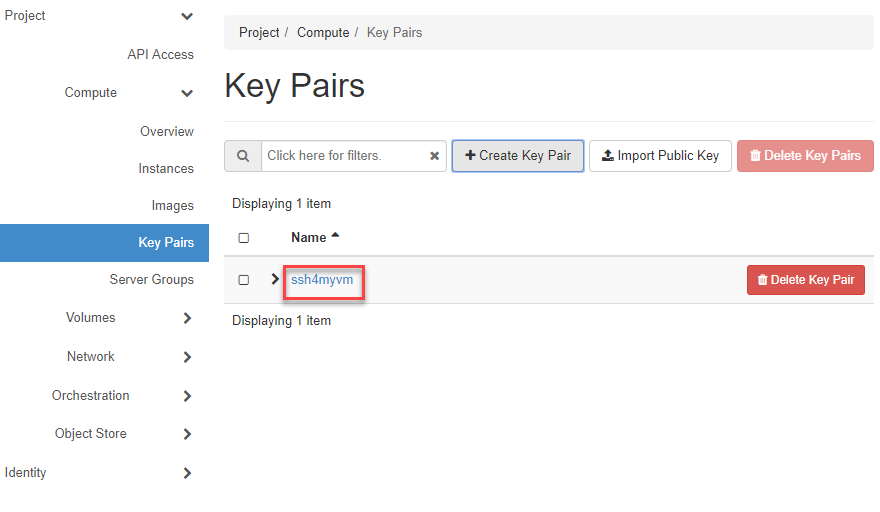
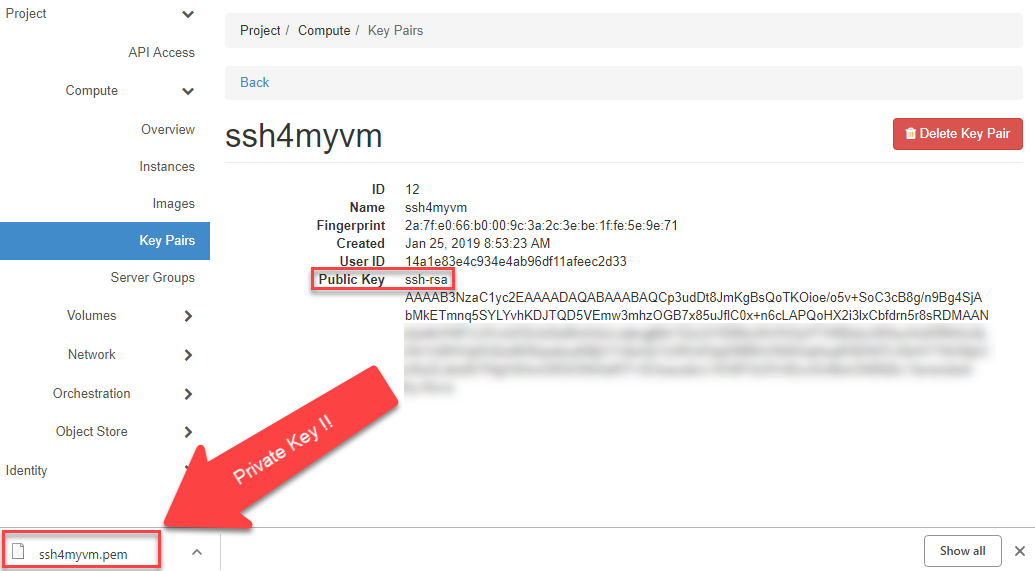
The Key Pair (Public & Private Key) is now created, and you can view the Public Key by clicking on the Key Name.
Caution
The created Private Key is automatically downloaded in the browser. You should store this securely, as it allows access to your VM without a password!
Note
The generated Private Key must be converted before use in "Putty" (see How to convert a PEM to PPK File Format).
Import an Existing Key
If you already have an SSH key pair, you can import the public key instead of creating a new one:
- Navigate to Compute > Key Pairs.
- Click +Import Public Key.
- Enter a Name and paste your public key (or upload the
.pubfile). - Click Import Public Key.
openstack keypair create --public-key ~/.ssh/id_rsa.pub my-key