Floating IP
A Floating IP is a public, routable IP address that you associate with a VM to make it reachable from the internet. Without a Floating IP, the VM is only accessible from within its private network.
Tip
We recommend restricting access to your VM from the Public network. You can achieve this in the Security Groups settings with appropriate rules.
Associate a Floating IP
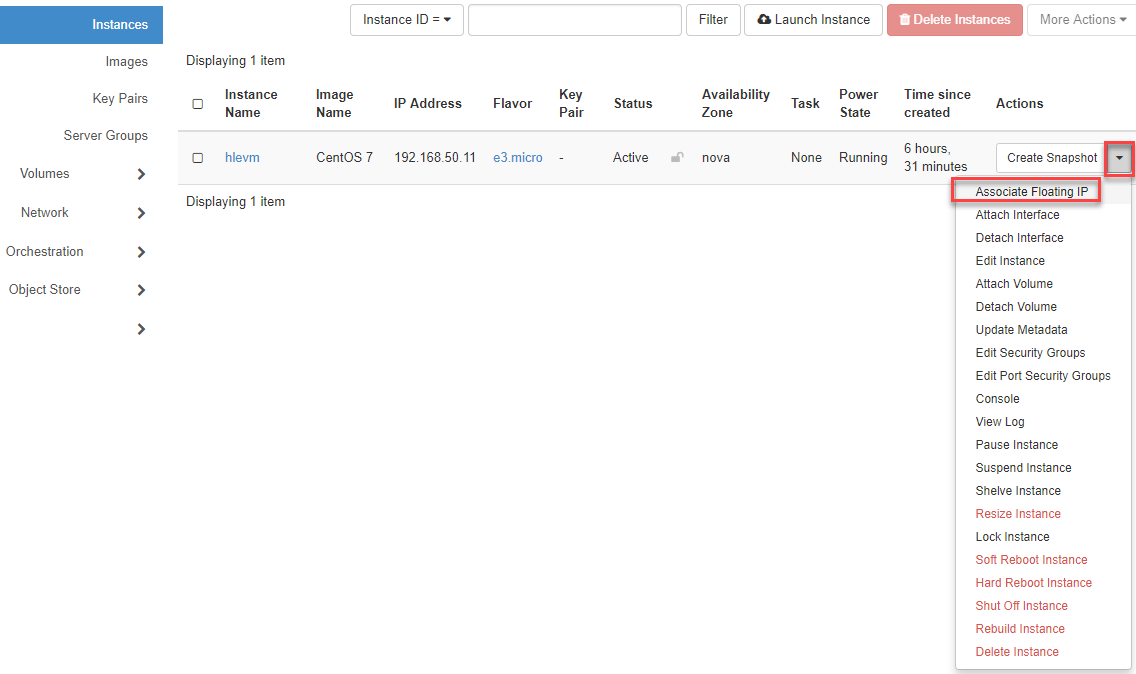
Switch to Instances in the navigation, click on the "Arrow", and select Associate Floating IP.
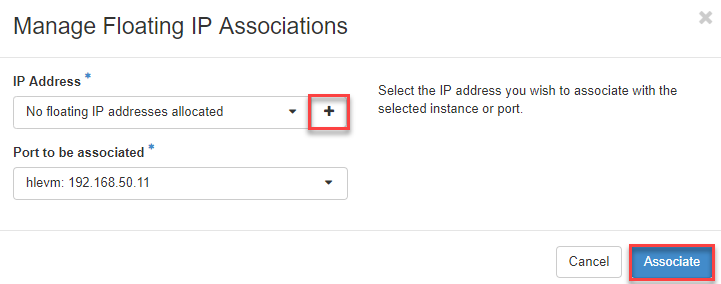
- Now click on the "Plus sign" and then on Associate.
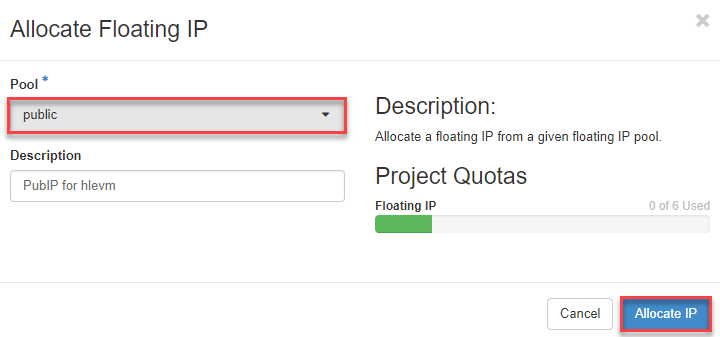
- Now select "public" and click on Allocate IP.
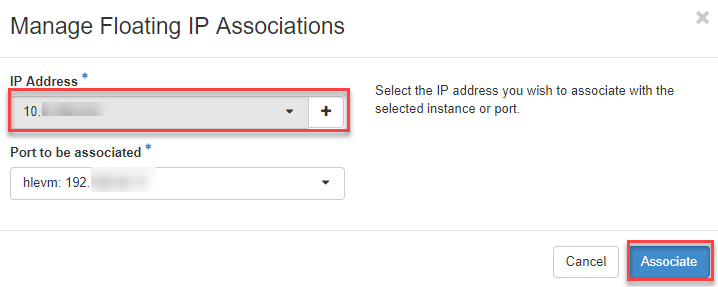
- Now select the Public IP address and click on Associate.
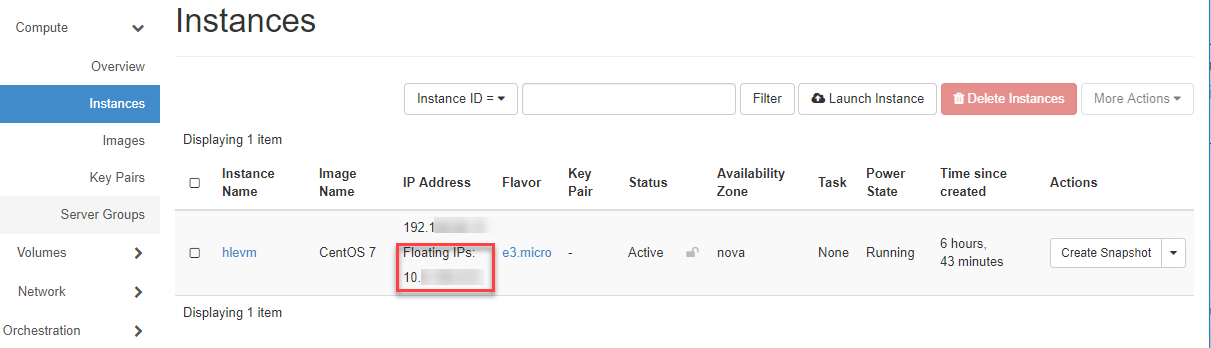
- The assigned Public IP address is now displayed, and you can access your VM via ssh using this address.
Via CLI
Allocate a Floating IP from the public pool:
openstack floating ip create public
Associate it with your VM:
openstack server add floating ip <instance-name> <floating-ip>
Now you can log in via SSH:
ssh -i <your-private-key> ubuntu@<floating-ip>